


How Much RAM Do You Really Need in a Laptop?
8GB? 16GB? 32GB? 64GB?
If you are shopping for a laptop in Kenya, you have probably come across these numbers many times.
And this is where many buyers get confused.
A salesperson may tell you:
“Hii iko na 16GB RAM, ni powerful sana.”
Another may say:
“Hii ni 8GB lakini iko fast.”
Someone else may tell you:
“Take 32GB. You’ll never need to upgrade.”
But how much RAM do you actually need?
The honest answer is:
It depends on what you use your laptop for.
A student writing assignments does not need the same amount of RAM as a software developer. A person browsing YouTube and using Microsoft Word does not have the same requirements as a video editor or professional running virtual machines.
At Joo Computers in Nairobi CBD, we believe you shouldn’t spend money on specifications you don’t need.
The right laptop is not necessarily the laptop with the biggest numbers.
It is the laptop whose specifications match your actual work.
What Is RAM?
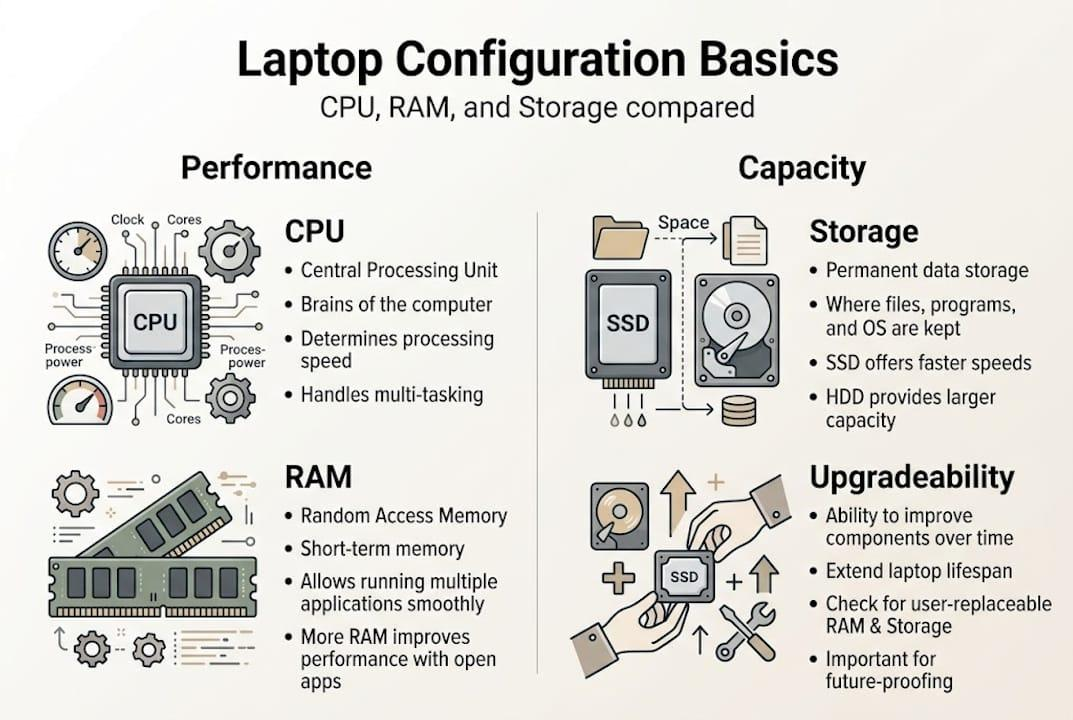
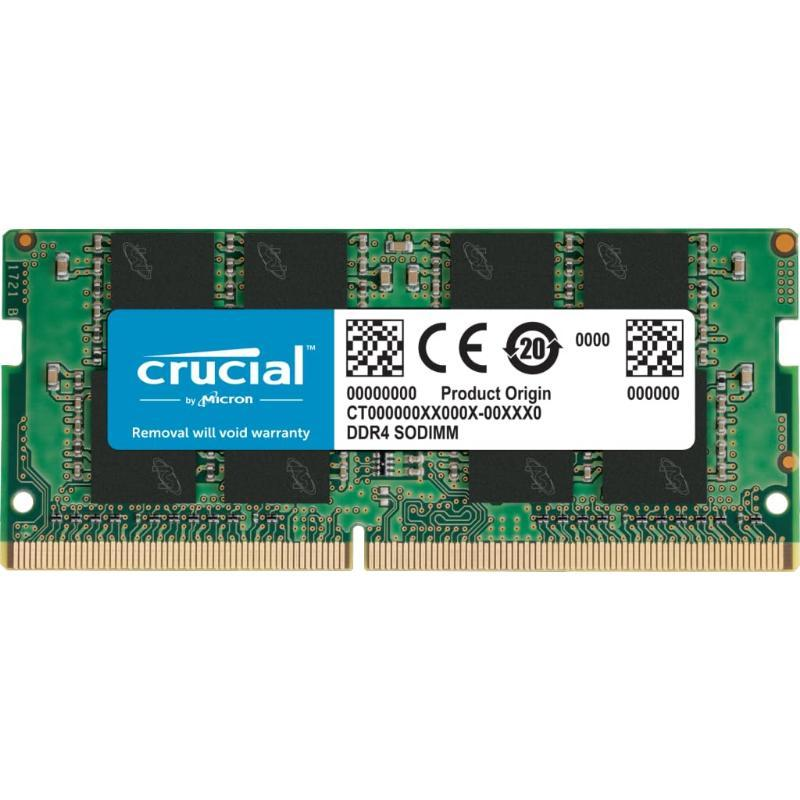
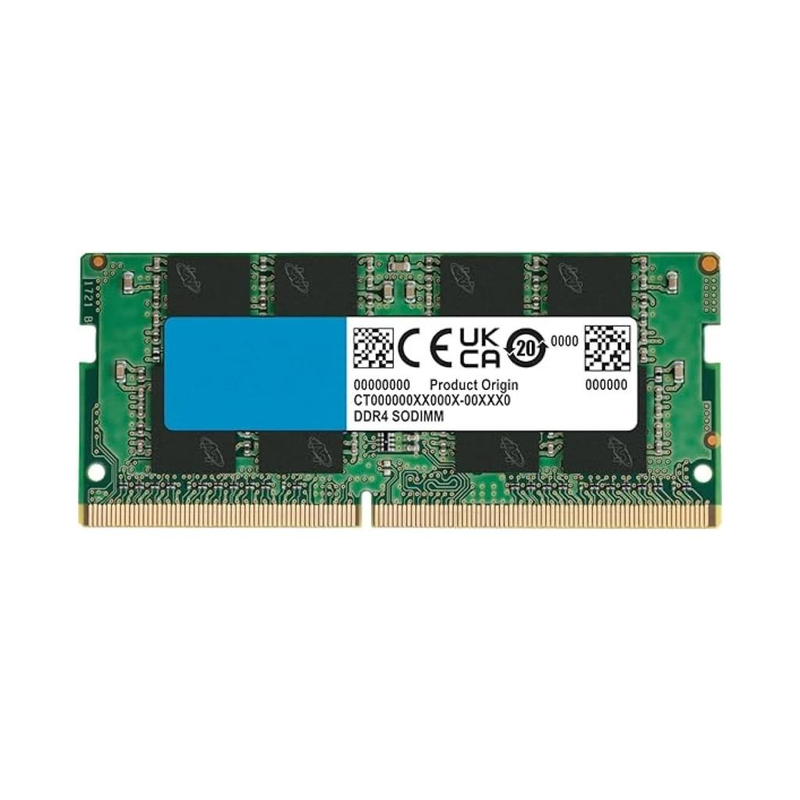
RAM stands for Random Access Memory.
It is the temporary working memory your computer uses while programs and tasks are running.
Think of your laptop like a desk.
Your SSD or hard drive is like a storage room where you keep your files.
RAM is the amount of working space on your desk.
If your desk is too small, you constantly have to move things around.
If your desk is large enough, you can have several things open at the same time without constantly rearranging them.
This is why RAM becomes particularly important when you multitask.
For example, imagine you have:
- Google Chrome with 15 tabs open
- Microsoft Word
- Excel
- WhatsApp Web
- Spotify
- Zoom
- Adobe Acrobat
All running at the same time.
The amount of RAM available affects how comfortably your laptop can handle this workload.
However, more RAM does not automatically make every laptop faster.
This is one of the biggest misconceptions we see when people are buying laptops.
Is 8GB RAM Enough?

6
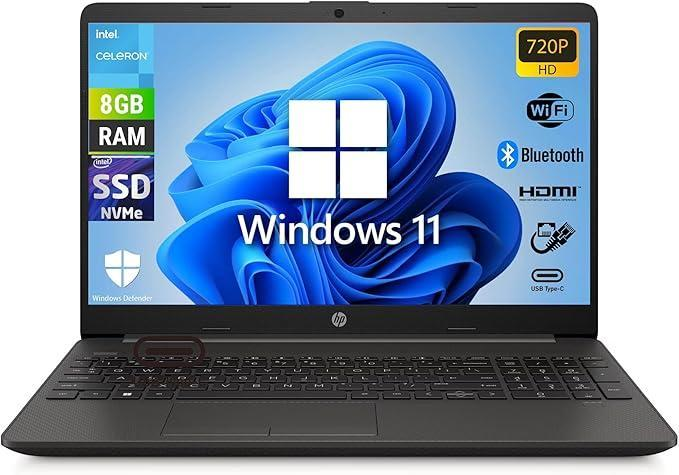
For many basic users, 8GB RAM can still be perfectly usable.
8GB can be suitable for:
- Microsoft Word
- Microsoft Excel
- PowerPoint
- Web browsing
- YouTube
- Online classes
- Research
- Basic accounting
- Basic business applications
- Light programming
If you are a student who mainly uses your laptop for research, assignments, online learning, presentations and normal browsing, you don’t necessarily need 32GB RAM.
In fact, if your budget is limited, spending more money on RAM while compromising other important components may not be the best decision.
For example, we would rather see someone choose a laptop with:
Core i5 + 16GB RAM + 512GB SSD
than spend excessively on RAM while ending up with an outdated processor and slow storage.
The entire laptop matters.
Is 16GB RAM Better?


6
For many laptop buyers in 2026, 16GB RAM is an excellent sweet spot.
If your budget allows it, 16GB gives you considerably more breathing room than 8GB.
It is particularly useful for people who multitask heavily.
16GB is suitable for:
- Business users
- University students
- IT professionals
- Programmers
- Researchers
- Accountants
- Content creators
- Remote workers
- Digital marketers
- Office professionals
- Moderate photo editing
- Light video editing
For someone buying a laptop today and planning to use it for several years, 16GB is often a sensible target.
It gives you room to grow without unnecessarily pushing you into expensive high-end configurations.
Who Actually Needs 32GB RAM?


8
Now we get into more demanding workloads.
32GB RAM makes sense when you’re doing tasks that genuinely require substantial memory.
Examples include:
Video editing
If you regularly edit high-resolution video, especially using professional editing software, additional RAM can help with larger projects and multitasking.
Software development
Developers working with large development environments, emulators, containers, databases or multiple applications may benefit from 32GB.
Virtual machines
If you run multiple virtual machines on your laptop, RAM becomes extremely important.
3D design
Professionals working with demanding 3D applications can benefit from higher memory capacity.
Professional photography
Large image files and professional editing workflows can make additional RAM useful.
Engineering applications
Some engineering, CAD and simulation workloads can benefit from higher memory configurations.
Heavy multitasking
If your laptop is effectively your entire workstation and you regularly have dozens of applications running simultaneously, 32GB can be worthwhile.
But here’s the important part:
Don’t buy 32GB simply because someone told you it’s better.
Buy it because your workload justifies it.
Do You Need 64GB RAM?


7
For the average laptop buyer?
No.
64GB RAM is overkill for most students, office workers and ordinary home users.
It becomes relevant for specialized professional workloads such as:
- Advanced video production
- Large virtual machine environments
- Professional 3D production
- Large-scale software development
- Data science
- AI development
- Engineering simulations
- Extremely demanding professional applications
If you only browse the internet, use Word and Excel, watch YouTube and attend online meetings, you probably don’t need 64GB RAM.
And this is exactly where good buying advice matters.
8GB vs 16GB vs 32GB RAM
Here’s a simple way to think about it:
| RAM | Best For |
|---|---|
| 8GB | Basic users, browsing, Word, Excel, students |
| 16GB | Business, students, multitasking, programming |
| 32GB | Creators, developers, engineering, demanding workloads |
| 64GB+ | Specialized professional workloads |
The important thing is not simply choosing the largest number.
It’s choosing the appropriate amount for your work.
RAM Is Not the Same as Storage


6
This is another common mistake when buying a laptop.
A customer may say:
“Nataka laptop yenye 512GB RAM.”
What they usually mean is 512GB storage.
RAM and storage are completely different.
RAM
RAM determines how much working memory your laptop has available while programs are running.
Common capacities:
- 8GB
- 16GB
- 32GB
- 64GB
SSD
An SSD is where your files and operating system are stored.
Common capacities include:
- 256GB
- 512GB
- 1TB
- 2TB
So a laptop can have:
16GB RAM + 512GB SSD
And that is a very good configuration for many users.
Does More RAM Make Your Laptop Faster?
Not always.
This is one of the most important lessons from our laptop buying guides.
If your laptop already has enough RAM for your workload, adding more RAM may not produce a dramatic improvement.
For example, if you’re browsing the web and using Word and your laptop has plenty of available RAM, moving from 16GB to 32GB won’t suddenly make Word twice as fast.
Other components matter too.
Laptop performance depends on a combination of:
- Processor
- RAM
- SSD
- Graphics
- Cooling
- Software
- Operating system
- Power management
This is why we don’t recommend buying laptops based on one specification alone.
What RAM Should a Student Look For?


7
For most students, we recommend looking at the whole laptop, not just RAM.
For general university work, a configuration around:
Core i5 / Ryzen 5 + 8GB–16GB RAM + 256GB–512GB SSD
can be a sensible starting point.
Students studying:
- Business
- Economics
- Education
- Law
- Humanities
- Social sciences
- General administration
often don’t need an extremely powerful laptop.
However, students studying:
- Computer Science
- Software Engineering
- Architecture
- Engineering
- Data Science
- Graphic Design
- Video Production
may need significantly more performance depending on the software used in their course.
What RAM Should an Office Worker Get?


7
For ordinary office work, 8GB can work, but 16GB is increasingly attractive if the laptop will be used heavily for several years.
If your work involves:
- Excel
- Word
- Browser applications
- Teams or Zoom
- Accounting software
- PDFs
- Multiple browser tabs
16GB gives you comfortable headroom.
For businesses buying laptops in bulk, it can also make sense to standardize around a specification that won’t feel restrictive after a few years.
What RAM Do Gamers Need?


6
Gaming is different.
For many modern gaming laptops, 16GB RAM is a sensible target.
32GB can make sense for gamers who also:
- Stream
- Record gameplay
- Run Discord
- Use multiple applications
- Edit videos
- Run demanding games and background applications
But remember:
RAM isn’t the only thing that determines gaming performance.
The GPU is extremely important.
A laptop with 32GB RAM and a weak graphics card isn’t automatically a better gaming laptop than one with 16GB RAM and a significantly stronger GPU.
This is why gaming laptop buyers need to look at the complete specification.
Can You Upgrade Laptop RAM?


6
Sometimes.
And this is why you should check the laptop before buying it.
Some laptops have removable RAM modules.
Others have RAM soldered directly onto the motherboard.
If the RAM is soldered, upgrading later may not be possible.
If you’re buying a laptop and you’re considering upgrading it in the future, ask:
“Is the RAM upgradeable?”
Also check:
- Number of RAM slots
- Maximum supported RAM
- Current RAM configuration
- Whether some RAM is soldered
- RAM generation
At Joo Computers, we can help you determine whether a particular laptop can be upgraded before you purchase it.
DDR4 vs DDR5 RAM: Does It Matter?


6
You may also see terms such as:
DDR4
and
DDR5
These refer to different generations of memory technology.
DDR5 generally offers higher memory bandwidth and newer platform support, but that does not mean you should automatically reject a good DDR4 laptop.
The laptop’s processor, price, condition, upgradeability and overall specifications still matter.
A properly configured DDR4 business laptop can still be an excellent purchase, especially when you’re looking for value.
The Biggest RAM Buying Mistake
The biggest mistake isn’t buying 8GB.
It isn’t buying 16GB.
It isn’t even buying 32GB.
The biggest mistake is buying RAM you don’t need while ignoring the rest of the laptop.
Imagine someone has KSh 60,000 to spend.
They find a laptop with:
32GB RAM
and become excited.
But the laptop has an old processor, small storage, poor battery health or a poor-quality display.
Meanwhile, another laptop has:
16GB RAM + newer processor + 512GB SSD + better display + better battery
The second laptop may be the much better purchase.
Don’t let one specification make the decision for you.
So, How Much RAM Should You Buy?
Here’s our simple recommendation:
If you are a basic user:
8GB can be enough.
If you’re a student or office professional:
16GB is an excellent target.
If you’re a programmer, creator or demanding professional:
16GB–32GB may be appropriate.
If you’re doing specialized professional workloads:
32GB–64GB+ may make sense.
But before spending more money, ask yourself:
What am I actually going to do with this laptop?
That’s the question that should guide your purchase.
Looking for the Right Laptop in Nairobi?
At Joo Computers, we don’t believe every customer needs the most expensive laptop.
We believe you should buy the right laptop for your work and your budget.
Whether you’re looking for:
- Student laptops
- Business laptops
- HP laptops
- Dell laptops
- Lenovo laptops
- Gaming laptops
- MacBooks
- Refurbished laptops
- New laptops
- Laptop upgrades
we can help you understand what you’re buying before you spend your money.
📍 Joo Computers – Nairobi CBD
📞 Call / WhatsApp: 0717 183 590
🚚 Delivery available across Kenya
Frequently Asked Questions About Laptop RAM
Is 8GB RAM enough for a laptop?
Yes. 8GB can be sufficient for basic tasks such as browsing, Microsoft Office, email, online classes and general student work.
Is 16GB RAM enough for a laptop?
For many users, yes. 16GB is a strong choice for students, business users, programmers and people who multitask heavily.
Do I need 32GB RAM?
Not necessarily. 32GB is more useful for demanding workloads such as professional video editing, advanced programming, virtual machines, 3D work and other memory-intensive applications.
Is 64GB RAM necessary?
For most people, no. 64GB is generally intended for specialized professional workloads.
Does more RAM make a laptop faster?
More RAM can improve performance when the existing RAM is insufficient. However, once you have enough RAM for your workload, additional RAM may not make the laptop noticeably faster.
Is RAM more important than the processor?
Neither should be considered in isolation. A good laptop needs an appropriate balance of processor, RAM, storage, graphics, cooling and other components.
Can laptop RAM be upgraded?
Some laptops allow RAM upgrades while others have soldered memory. Always check the specific laptop model before assuming it can be upgraded.
Should I buy 8GB or 16GB RAM?
If your budget allows it and you plan to keep the laptop for several years, 16GB provides more headroom. However, 8GB may still be sufficient for basic use.
Final Advice From Joo Computers
If you remember only one thing from this guide, remember this:
Don’t buy RAM. Buy a laptop.
RAM is only one part of the machine.
The right laptop is the one that gives you the performance you need, the reliability you expect and the value that makes sense for your budget.
You don’t need the biggest specification.
You need the right specification.