


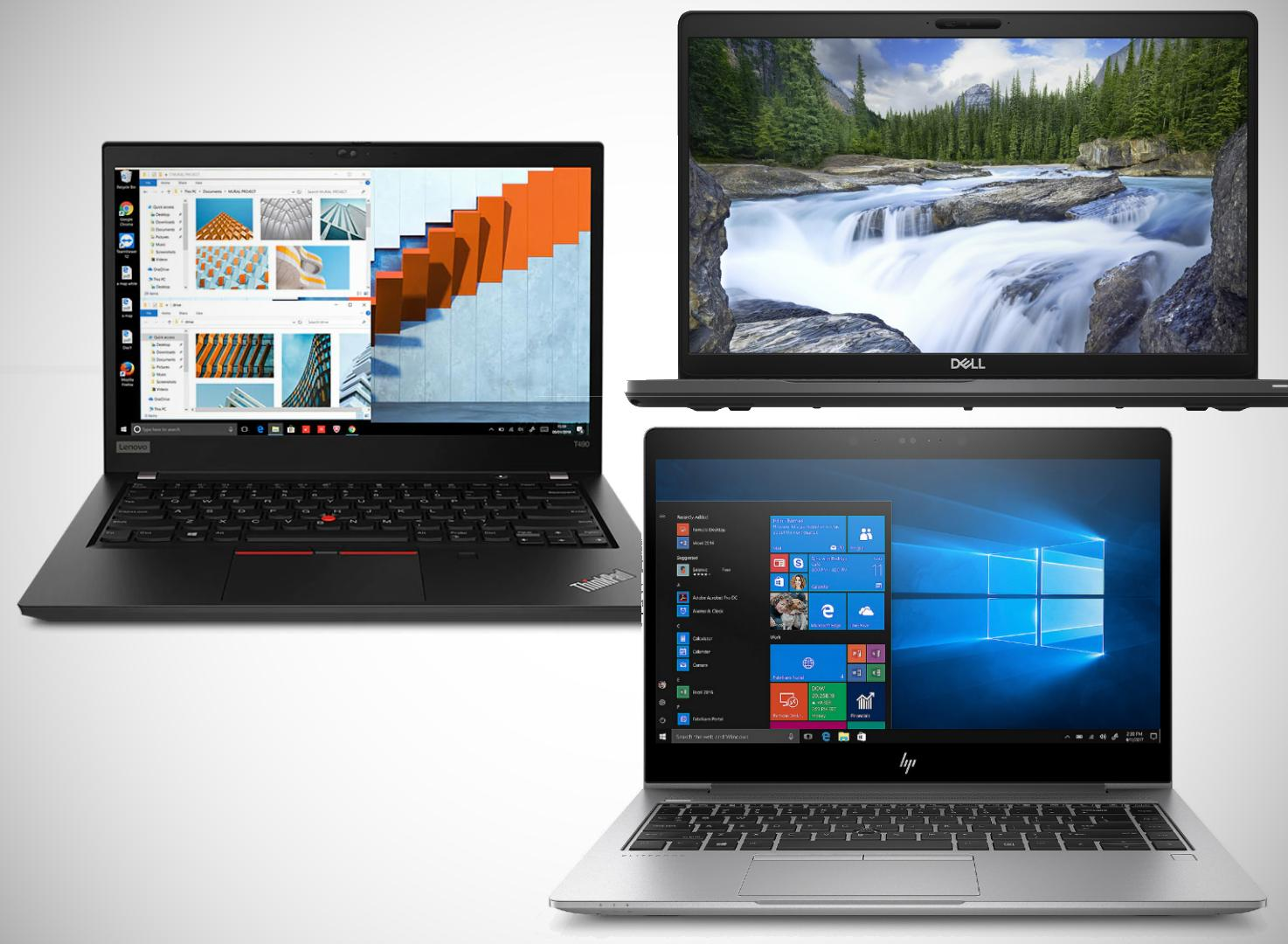
Maximize Your Productivity: The Top Laptops for Professionals in 2027″
A laptop is more than a computer for a professional. It is a tool for managing clients, preparing reports, attending meetings, creating designs, analysing data, writing code and growing a business.
Choosing the right laptop can make your working day easier. Choosing the wrong one can lead to slow performance, limited storage, poor battery life and unnecessary expenses.
If you are looking for the best laptop for professionals in Kenya, the right choice depends on what you do, the applications you use and your budget. A laptop for an accountant may have different requirements from one used by a software developer, architect, graphic designer or remote worker.
At Joo Computers, we help customers compare laptops according to their actual needs. This guide explains the key specifications to consider, the laptop categories worth comparing and how to choose a machine that supports your work.

1. What makes a good professional laptop?
A professional laptop should be dependable, responsive and suitable for your everyday workload. The most expensive laptop is not necessarily the best choice for your profession.
Before buying, consider these six factors.
Performance
The processor and RAM determine how comfortably your laptop handles applications and multitasking. A professional working with spreadsheets and email may not need the same processing power as someone running engineering software or editing videos.
Storage
An SSD helps your laptop start quickly and open applications responsively. Choose enough storage for your software, documents and projects.
Battery life
If you travel, attend meetings or work away from your desk, battery condition and runtime matter. This is particularly important when buying a refurbished or ex-UK laptop.
Display quality
A clear screen makes reading, spreadsheets, presentations and creative work more comfortable. Graphic designers and video editors should pay particular attention to colour accuracy and resolution.
Portability and build quality
A lightweight laptop can be more convenient for professionals who travel frequently. If you work mainly at a desk, screen size, keyboard comfort and connectivity may matter more.
Reliability and support
Check the laptop’s condition, warranty, charger and after-sales support. A good purchase is not just about the initial price; it is also about how well the machine serves you over time.
2. Best laptop categories for different professionals
Different professions have different computing requirements. Here is how to narrow down your options.

Business owners and office professionals
For business applications, email, accounting software, documents and video meetings, consider business-class laptops from HP, Dell and Lenovo.
Look for:
- A suitable Intel Core or AMD Ryzen processor.
- At least 8GB RAM, with 16GB preferred for heavier multitasking.
- SSD storage.
- A comfortable keyboard.
- Reliable Wi-Fi and useful connectivity ports.
- A webcam and microphone suitable for meetings.
Business-class laptops can be especially useful for people who work with confidential documents and need practical security features, depending on the model.
Accountants and finance professionals
Accountants often work with spreadsheets, accounting systems, reports and several applications simultaneously.
A suitable laptop should have enough RAM for multitasking, a comfortable keyboard and a screen that makes spreadsheets easy to read.
For many users, 16GB RAM and a 512GB SSD provide a practical target, depending on the applications and budget.
If you frequently connect to external monitors, check the laptop’s display outputs and docking compatibility.

Software developers and programmers
Developers may run code editors, browsers, local servers, databases and development tools at the same time.
When choosing a programming laptop, consider:
- A processor appropriate for your development environment.
- 16GB RAM as a useful starting target for many professional workloads.
- 512GB SSD or more if you work with large projects.
- A comfortable keyboard.
- Good thermal performance.
- Operating system and software compatibility.
If you use virtual machines, Android emulators or containers, additional RAM may be important. Check your development tools’ requirements before purchasing.
Graphic designers and digital artists
Graphic design requires more than a powerful processor. The display, memory and graphics hardware can all influence the working experience.
Look for:
- A screen with good colour reproduction.
- Sufficient RAM for your design applications.
- SSD storage for projects and files.
- Graphics hardware appropriate for your software.
- Suitable external display connectivity.
For professional colour-critical work, do not assume that a high-resolution screen automatically has accurate colours. Check the display specifications and, where possible, its colour coverage and calibration.
Read our related guide: Best Laptops for Graphic Design and Digital Art.

Architects and engineers
Architects and engineers may use CAD, 3D modelling, rendering and other resource-intensive applications.
The right laptop depends on the exact software and project complexity. Some workflows require a dedicated GPU, substantial RAM and a powerful processor.
Before purchasing, check:
- The minimum and recommended hardware for your software.
- Whether a dedicated GPU is required.
- The RAM needed for your typical projects.
- Display resolution and external monitor support.
- Cooling performance under sustained workloads.
A standard business laptop may be suitable for reports, drawings and lighter applications, but it may not be appropriate for demanding 3D rendering.
Remote workers and consultants
Remote workers often need a dependable laptop for video meetings, browser applications, document collaboration and communication.
Prioritise a good webcam, microphone, Wi-Fi, keyboard and battery condition. If your work involves several browser tabs and applications, adequate RAM is important.
A lightweight laptop can also be useful if you work from different locations.
Read our guide to Best Laptops for Remote Work in Kenya.

Video editors and content creators
Video editing and content creation can demand substantial computing resources.
Consider:
- A processor suited to your editing software.
- 16GB RAM or more, depending on project complexity.
- Adequate SSD storage for footage and project files.
- A GPU suited to your editing and effects workload.
- A good display.
- Sufficient cooling for long editing sessions.
For demanding 4K workflows, complex effects or 3D work, entry-level business laptops may not be suitable.
Explore our laptop guide for video editing and content creators.
3. HP, Dell or Lenovo: which brand should professionals choose?
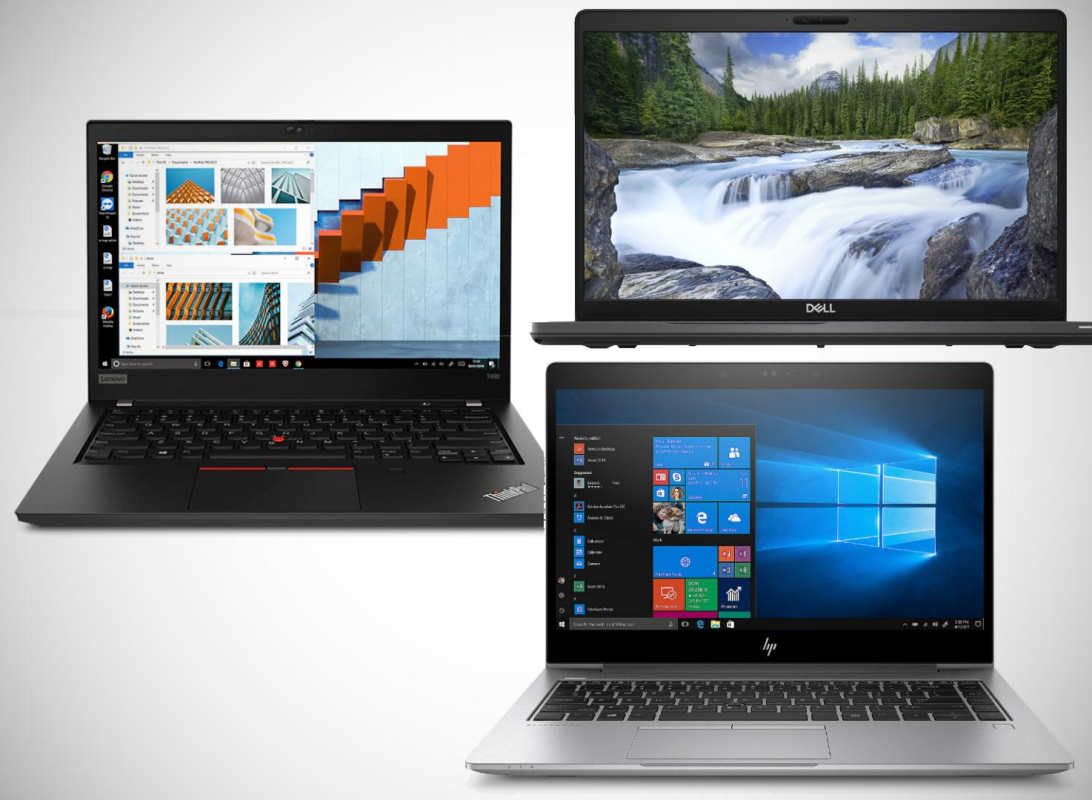
There is no universally best brand. Each manufacturer offers several laptop families designed for different users and budgets.
HP laptops
HP EliteBook and ProBook models are worth comparing for office productivity, business use and professional travel.
Depending on the model, they may offer useful security features, practical ports and business-oriented designs.
Dell laptops
Dell Latitude models are commonly used in business environments, while selected Dell Precision workstations are designed for more demanding professional workloads.
Compare the exact model, processor, RAM, graphics and condition before choosing.
Lenovo laptops
Lenovo ThinkPad models are worth considering for typing-intensive work, programming and business productivity. Selected ThinkPad workstation models can also suit more demanding applications.
What should guide your decision?
Choose based on the actual machine rather than brand loyalty alone.
Compare:
- Performance for your applications.
- RAM and storage.
- Display quality.
- Keyboard and portability.
- Battery condition.
- Warranty and support.
- Price relative to the specifications.
A well-configured laptop from one brand may be a better purchase than a more expensive model from another.
4. How much should a professional spend on a laptop in Kenya?
Your budget should reflect the work you need the laptop to perform.
The following ranges are general buying guides, not guaranteed market prices or promises of available stock.
| Budget range | Typical buying objective |
|---|---|
| Under KSh 35,000 | Everyday office work, study and basic productivity |
| KSh 35,000–50,000 | Compare stronger business-class configurations and multitasking options |
| KSh 50,000–75,000 | Explore higher-specification professional laptops, depending on stock |
| Above KSh 75,000 | Consider more demanding workloads, premium features or specialist hardware |
The right budget depends on your software requirements, how frequently you use the laptop and how much performance you need.
If you primarily work with documents, email and spreadsheets, you may not need a high-end workstation. If you handle 3D rendering or large video projects, investing in suitable hardware can be more important than choosing a thin, stylish laptop.
5. Processor, RAM and SSD: what should professionals choose?
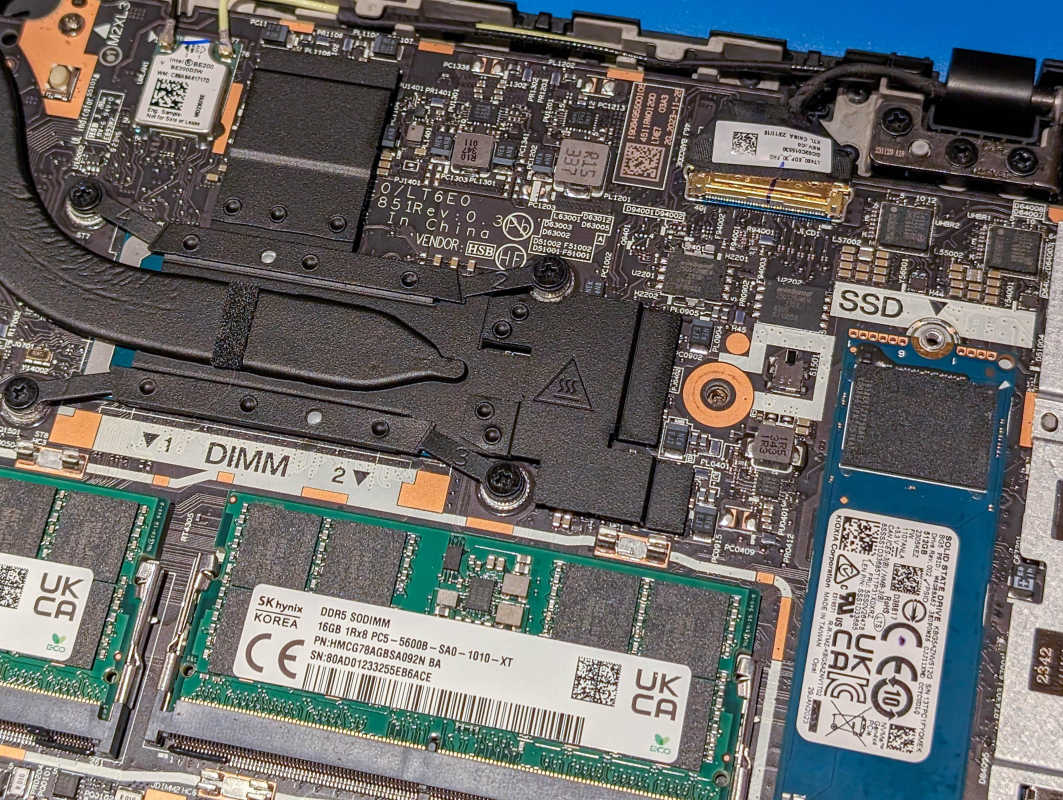
Processor
Compare the full processor model and generation rather than relying on Core i5, Core i7 or Ryzen branding alone.
The best processor depends on your applications, workload and laptop’s cooling system.
RAM
- 8GB: Can be adequate for everyday office applications and lighter multitasking.
- 16GB: A practical target for many professionals who work with several applications.
- 32GB or more: Worth considering for virtual machines, large projects and specialised workloads.
Check whether the RAM is upgradeable before purchasing.
SSD storage
- 256GB: May suit lighter workloads and cloud-based storage.
- 512GB: A practical target for many professional users.
- 1TB or more: Useful for large projects, video files and substantial local storage needs.
Your ideal configuration depends on the software you use and the amount of data you keep locally.
6. Should professionals buy new or refurbished laptops?
A new laptop may appeal to buyers who prefer an unused machine and the applicable manufacturer warranty. A refurbished or ex-UK business laptop may provide a higher-tier build or stronger specifications for the same budget.
Neither option is automatically better.
| Factor | New laptop | Refurbished or ex-UK laptop |
|---|---|---|
| Physical condition | Usually unused | Varies by unit |
| Battery | Check warranty and stated condition | Test actual battery health |
| Specifications | Depend on price category | May offer a higher-tier configuration |
| Warranty | Confirm seller and manufacturer terms | Confirm the specific seller’s terms |
| Value | Depends on model and price | Can be attractive after inspection |
If buying refurbished, check the screen, keyboard, ports, battery, SSD, charger and casing. Ask whether any components have been replaced and what the warranty covers.
For a professional who relies on a laptop daily, reliability and after-sales support should be part of the buying decision.
7. Essential features professionals should not overlook
Beyond the processor and RAM, several features can make a meaningful difference to everyday work.
Keyboard: Important for accountants, writers, programmers and anyone who types for hours.
Display: Consider resolution, brightness, viewing comfort and colour accuracy for your work.
Ports: Check whether you need HDMI, USB-A, USB-C, Ethernet or a docking station.
Webcam and microphone: Important for remote meetings and client calls.
Security: Depending on the model, features such as a fingerprint reader, webcam shutter and TPM support may be useful.
Battery: Check actual condition, especially for refurbished machines.
Upgrade options: Confirm whether the laptop supports RAM or SSD upgrades.
External monitor support: Important for professionals who need more screen space.
8. What to check before buying a professional laptop
Professional laptop buying checklist
Confirm the exact processor model and generation
Verify RAM capacity and upgrade options
Check SSD capacity and health
Inspect screen quality and resolution
Test keyboard and touchpad
Test USB, HDMI, USB-C and charging ports
Check webcam, microphone, speakers and Wi-Fi
Inspect battery health and charging behaviour
Confirm charger and warranty terms
Check compatibility with your professional software
If you are buying a refurbished machine, test the actual laptop before paying. A detailed inspection is especially important when the computer will be used for business-critical work.
9. Accessories that can improve professional productivity
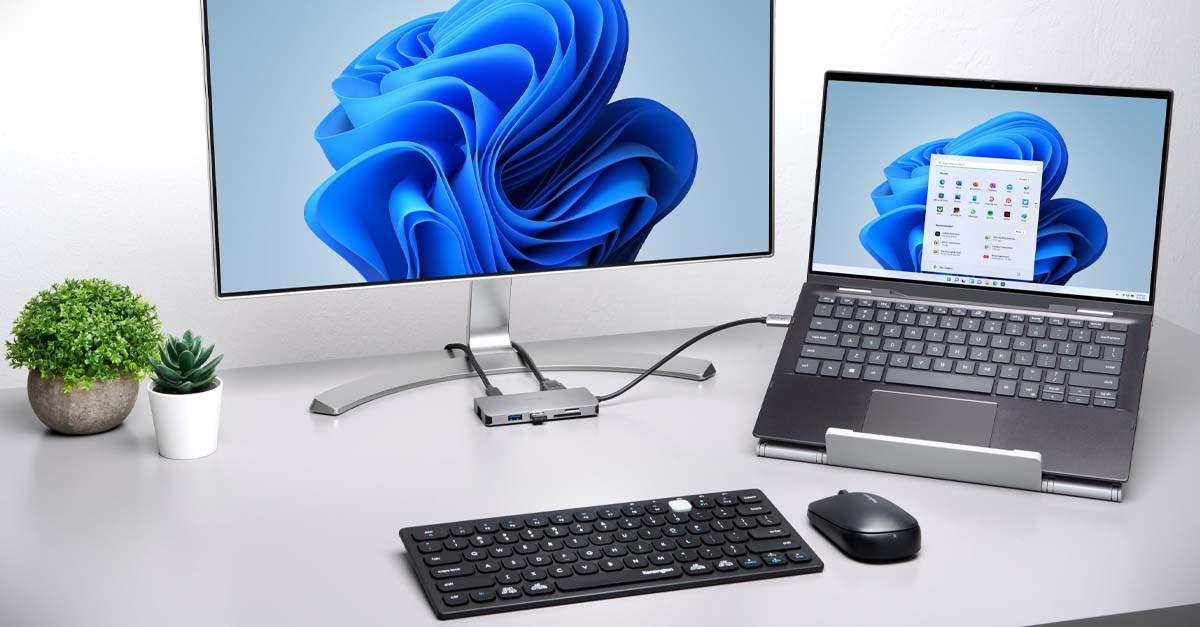
The right accessories can make your workstation more comfortable and efficient.
- External monitor: Useful for spreadsheets, research and multitasking.
- Docking station or USB-C hub: Helps connect compatible peripherals.
- Wireless keyboard and mouse: Useful for a desktop-style workstation.
- Laptop stand: Helps position the screen at a more comfortable height.
- Laptop bag: Protects your computer when travelling.
- Surge protection or suitable power backup: Helps you plan for power interruptions, with the appropriate equipment for your setup.
Check your laptop’s compatibility before buying docks, adapters and other accessories.
Browse laptops and computer products at Joo Computers.
10. Where to buy professional laptops in Nairobi
Choosing a professional laptop is easier when you can compare the specifications, ask questions and confirm the condition of the actual machine.
At Joo Computers, you can enquire about available laptops for office work, business, programming, remote work and other professional needs. Specific models, specifications and prices depend on current stock.

Visit Joo Computers
Technology | Trust | Solutions
- Location: Along Moi Avenue, Iconic Business Plaza, 4th Floor, Shop J7, Nairobi.
- Call / WhatsApp: 0717 183 590.
- Delivery: Available across Kenya.
Tell us what kind of work you do, your budget and any required software. This helps us identify suitable options from the available stock.
Find a laptop for your profession
Contact Joo Computers to check available models, specifications and prices.Enquire on WhatsApp
Frequently asked questions
Which is the best laptop for professionals in Kenya?
The best laptop depends on your profession, applications, budget and preferred features. Business-class HP EliteBook, Dell Latitude and Lenovo ThinkPad models are worth comparing for many productivity workloads.
How much RAM does a professional laptop need?
Eight gigabytes can suit lighter office tasks. Sixteen gigabytes is a practical target for many professionals who multitask, while specialised workloads may require more.
Is a Core i7 laptop always better than a Core i5?
No. Performance depends on the exact processor model and generation, cooling and workload. Compare complete specifications rather than processor labels alone.
Are refurbished laptops suitable for professional work?
They can be, provided the machine is properly inspected and the specifications, battery condition, warranty and after-sales terms are clear.
Which laptop is suitable for graphic design?
Choose according to your design software, display requirements, RAM and graphics needs. For colour-critical work, check display accuracy rather than resolution alone.
Which laptop is suitable for programming?
Many developers benefit from an SSD, a suitable modern-enough processor, a comfortable keyboard and 16GB RAM for heavier multitasking. Requirements vary with development tools and workloads.
Can Joo Computers deliver laptops outside Nairobi?
Joo Computers offers delivery across Kenya. Contact the shop to confirm the laptop, price and delivery arrangements.
Final advice: choose a laptop that works as hard as you do
The best professional laptop is not necessarily the newest, most expensive or most powerful machine. It is the one that reliably supports your work.
Identify your software requirements, choose suitable RAM and storage, assess the display and battery, and compare the actual specifications before buying.
Need help choosing? Contact Joo Computers to discuss your work requirements and compare the laptops currently available.
Joo Computers — Technology | Trust | Solutions
Along Moi Avenue, Iconic Business Plaza, 4th Floor, Shop J7, Nairobi.
Call / WhatsApp: 0717 183 590. Delivery available across Kenya.