


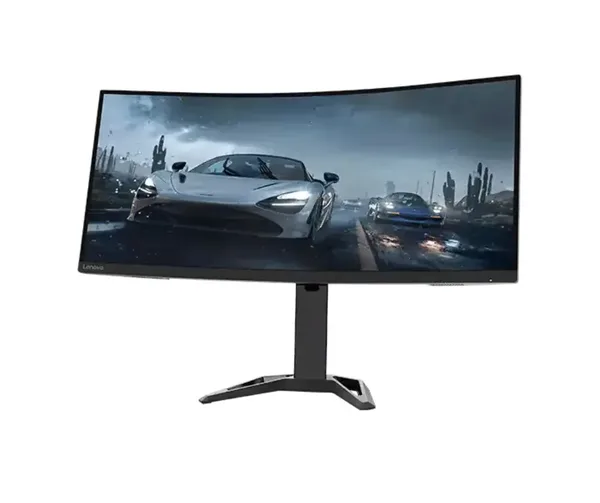


See more of your work without constantly switching windows. The HP P34 HC G4 34" WQHD Curved Screen Edge Monitor gives you a broad, curved workspace that keeps documents, spreadsheets, browser tabs, timelines, and communication tools in view together. Its 34-inch format is built for people who need a clearer overview of demanding digital workloads. You spend less time searching through overlapping windows and more time acting on the information in front of you.
WQHD resolution gives your desktop room to breathe. This higher-resolution widescreen format provides substantially more working area than a conventional Full HD display. You can position content side by side with greater clarity, whether you are reviewing detailed figures, comparing files, editing copy, monitoring dashboards, or organising project materials. The result is a desktop that feels more ordered and easier to manage during long work sessions.
The curved 34-inch screen supports a more natural field of view. A wide monitor can place important content across a large visual area. The P34 HC G4 uses a curved screen to bring the outer edges of that workspace closer into your view. This helps make wide spreadsheets, large design layouts, and multi-window desktop arrangements feel more cohesive. You can stay focused on the full task rather than treating each open window as a separate workspace.
- 34-inch ultrawide workspace: Keep more applications visible at once, reducing the repeated window switching that interrupts focused work.
- WQHD display area: View detailed content with more room for documents, data tables, timelines, and side-by-side comparison.
- Curved screen format: Keep content spread across the display within a more connected visual layout during extended desktop use.
- HP P34 HC G4 platform: Choose a business-focused Screen Edge monitor identified for structured, screen-intensive work.
Build a better workflow around the work you already do. A single wide display can simplify tasks that normally demand constant rearranging. Place a reference document beside the file you are editing. Keep a messaging window open while working through a report. Review a data source and presentation at the same time. The advantage is practical: less desktop clutter, fewer interruptions, and a faster route from information to decision.
This monitor suits work that depends on context. Analysts can keep supporting figures visible while building reports. Finance users can review wider sections of a spreadsheet without losing sight of adjacent columns. Developers can arrange code, documentation, and testing tools across one expansive display. Content teams can work on drafts while retaining access to briefs, research, and review comments. The 34-inch WQHD canvas supports the way these tasks actually happen.
It also brings order to everyday office work. Email, calendars, web applications, cloud storage, and productivity software can all compete for screen space on a smaller display. The HP P34 HC G4 gives those daily tools a more deliberate place. You can create a stable desktop arrangement instead of repeatedly minimising and reopening applications. That consistency matters when your workday moves between communication, administration, research, and focused production.
The curved display is particularly useful for wide content. Long spreadsheet rows, detailed project plans, broad web dashboards, and multi-column documents often require horizontal space. On this monitor, that width is central to the experience rather than an afterthought. The screen gives you the visual area to follow relationships across columns and panels with less disruption. It is a more practical environment for work where the full picture matters.
WQHD is a meaningful choice for detail-driven tasks. Resolution affects how much information can be displayed within a workspace. With WQHD, the P34 HC G4 is positioned for users who need more than a basic desktop view. Text-heavy documents, detailed tables, interface panels, and multiple application windows have room to coexist. This makes the monitor a strong fit for repeat users who value a dependable, spacious working setup over a constantly changing arrangement.
The P34 HC G4 is designed around one display, one continuous workspace. That matters if you prefer a unified desktop instead of dividing tasks across separate screens. A continuous 34-inch curved panel keeps your work in one place, helping you maintain visual continuity as you move from one application to the next. It is a straightforward solution for users who want a larger working view without turning their desk into a collection of disconnected displays.
Choose it for focused professional use, home-office productivity, and organised multitasking. It is well suited to users who regularly handle several documents at once, work with broad spreadsheets, track online systems, or need room to keep reference material open while completing a primary task. The combination of a 34-inch screen, WQHD resolution, and curved format addresses a common limitation of compact desktop setups: too little visible workspace for the work being done.
Make your desktop easier to read, navigate, and manage. The HP P34 HC G4 34" WQHD Curved Screen Edge Monitor provides the wide, detailed display area needed to keep demanding work visible and organised. Add it to your setup and give every task more room to progress.


