


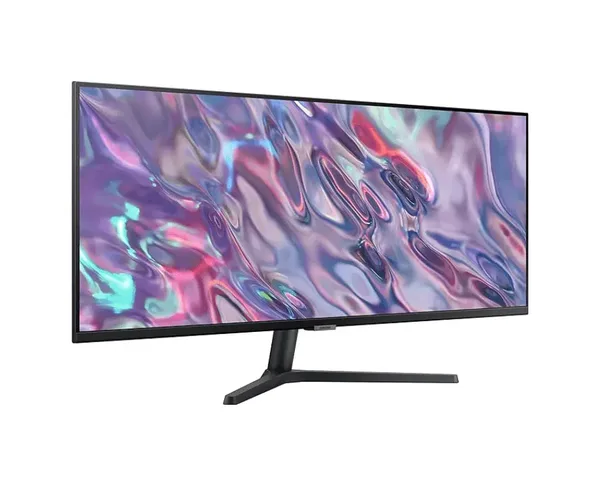


Keep more content in view with the Samsung LS34C500GAUXXU, a 34-inch WQHD monitor built around a 3440 x 1440 resolution. The wide display gives you more on-screen space for viewing documents, browser windows, timelines and other desktop content without relying on a smaller viewing area.
- 34-inch wide display: gives you a larger canvas for arranging the content you need to see.
- 3440 x 1440 WQHD resolution: provides detailed on-screen viewing across the monitor’s broad format.
- 100 Hz refresh rate: supports a higher refresh specification for compatible display output.
- VA panel: identifies the panel technology used in this Samsung monitor.
- DisplayPort and HDMI: provide two stated connection options for compatible source devices.
- FreeSync support: adds the listed display synchronisation technology to the monitor specification.
This Samsung 34-inch WQHD monitor is clearly specified for buyers who need a broad desktop display with modern video connections. DisplayPort and HDMI allow the monitor to be connected through either of its stated input types, helping you choose the connection that matches your compatible device.
The 3440 x 1440 resolution is a key consideration for anyone selecting a widescreen monitor. It defines the monitor’s displayed pixel count and supports a broad workspace across its 34-inch screen size. This makes the Samsung LS34C500GAUXXU easy to identify when comparing display size, resolution, panel type and connectivity requirements.
A 100 Hz refresh rate is also part of the confirmed specification. For buyers focused on display refresh capability, this provides a clear reference point alongside the monitor’s WQHD resolution and VA panel. FreeSync is included as a stated feature for shoppers seeking this technology in their monitor selection.
The Samsung LS34C500GAUXXU brings its main decision-making details together in one widescreen display: 34 inches, 3440 x 1440 WQHD resolution, 100 Hz refresh rate, VA panel technology, DisplayPort, HDMI and FreeSync. Choose this monitor when those confirmed specifications match your display setup requirements.


